Car Parking Multiplayer World Sale Explained: Buy & Sell Guide
Quick Answer: To buy and sell cars in Car Parking Multiplayer, use the Garage. Buying is simple: open the Car Store, pick a car, and pay in cash or coins. Selling works through World Sale — list your car at your price, and when another player buys it, the money lands in your account automatically.
There is one catch many guides never mention: World Sale only works on an account linked to Google. Guest accounts cannot open it at all.
This guide to how to buy and sell cars in Car Parking Multiplayer covers all three trading routes — the Car Store, World Sale, and selling directly to another player — plus honest pricing guidance and the scam patterns that cost players their cars every week.
The 3 Ways to Buy and Sell Cars in Car Parking Multiplayer
Most confusion comes from treating these as one system. They are three different routes, and each suits a different job:
| Route | Where It Happens | How You Get Paid | Scam Risk |
|---|---|---|---|
| Car Store | Garage → Car Store | You pay the game (cash or coins) | None — fixed prices |
| World Sale | Garage → World Sale | Automatically, when a player buys your listing | Low — the game handles the exchange |
| Direct sale | Online mode, player to player | The buyer accepts your sale request in-game | Higher — negotiation and gift scams live here |
One thing that does not exist: there is no instant “sell back to the game” button that pays you a fraction of the car’s value. When players say they “sold” a car, they mean one of the routes above — usually World Sale.
Read each route once and trading stops being confusing. Buyers who learn to buy and sell cars in Car Parking Multiplayer this way avoid the two classic beginner losses: overpaying a player for a car the store sells cheaper, and listing a good car below its market for a quick sale.
How to Buy Cars from the Car Store
The Car Store is the safe, boring way to buy and sell cars in Car Parking Multiplayer — nobody can scam a fixed price. It is also where every car’s official price lives, which makes it your reference for all other trading.
Think of the store as the price anchor for everything else in this guide. Whenever a player’s asking price looks tempting, the first question is always the same: what does this car cost here, new, with zero risk?
Step 1: Open your Garage. From the main menu, tap the Garage. Every car you own is here, and the store sits one tap away.
Step 2: Open the Car Store. Tap the car/shop icon to browse the full catalogue. Cars are grouped by type — sports cars, SUVs, sedans, luxury cars and supercars.
Step 3: Check the price and your balance. Each car shows its price before you commit. Most cars are priced in in-game cash; the premium and rare ones are priced in coins.
Step 4: Buy. Tap Buy and the car appears in your garage instantly. No waiting, no negotiation, no risk.
Before spending big, it is worth knowing which cars are actually worth it — our guide to the best car in Car Parking Multiplayer ranks the ones that earn their price in multiplayer.
How to Buy Cars from World Sale
World Sale is the player marketplace where players buy and sell cars in Car Parking Multiplayer directly with each other. Every listing is a real player’s car, which means tuned builds, rare wraps and modified cars you will never find in the store.
Step 1: Make sure you are signed in. Join an online session with the account you actually play on — World Sale needs a Google-linked account.
Step 2: Open World Sale and browse. Listings show the car and its asking price. Scroll past the first screen; the fairly priced cars are rarely at the top.
Step 3: Inspect before you pay. Check the car’s tune and extras — engine work, wraps and wheels are where the value sits. Compare the same model in the Car Store before paying a premium.
Step 4: Buy instantly. Confirm the purchase and the car transfers to your garage. The seller is paid automatically by the game — you never handle money outside the system.
World Sale is also the smart way to save toward the dream cars: many players build up coins here before chasing the most expensive cars in Car Parking Multiplayer.
Patience pays on this screen. Listings refresh constantly, and the same model can appear at wildly different prices within an hour. Players who check back at peak times routinely buy below the average asking price.
How to Sell Cars on World Sale
Selling is where buy and sell cars in Car Parking Multiplayer turns into a real income method. The flow is short; the pricing is where money is made or lost.
Step 1: Open the Garage and pick the car. Choose a car you can live without — once it sells, it is gone from your garage.
Step 2: Tap World Sale (Sell). From the car’s options, open the World Sale listing screen.
Step 3: Set your price. Search World Sale for the same model first and price against live listings, not hope. The pricing section below gives you store-price anchors for the popular cars.
Step 4: Confirm the listing. Your car appears in the global World Sale within seconds, visible to players everywhere.
Step 5: Wait for the sale. When a player buys it, the car transfers to them and the money is added to your account automatically. There is nothing to claim and nobody to chase.
Two honest limits: guides and the game’s documentation do not describe a way to edit a price or pull a listing once it is live, so treat the price you set as final. And your listing competes with thousands — a car priced above similar listings simply sits there.
That is why experienced sellers do their homework before Step 2, not after it. Five minutes comparing similar listings is the difference between a car that sells tonight and one that is still listed next week.
A Short Example: Flipping Your First Car
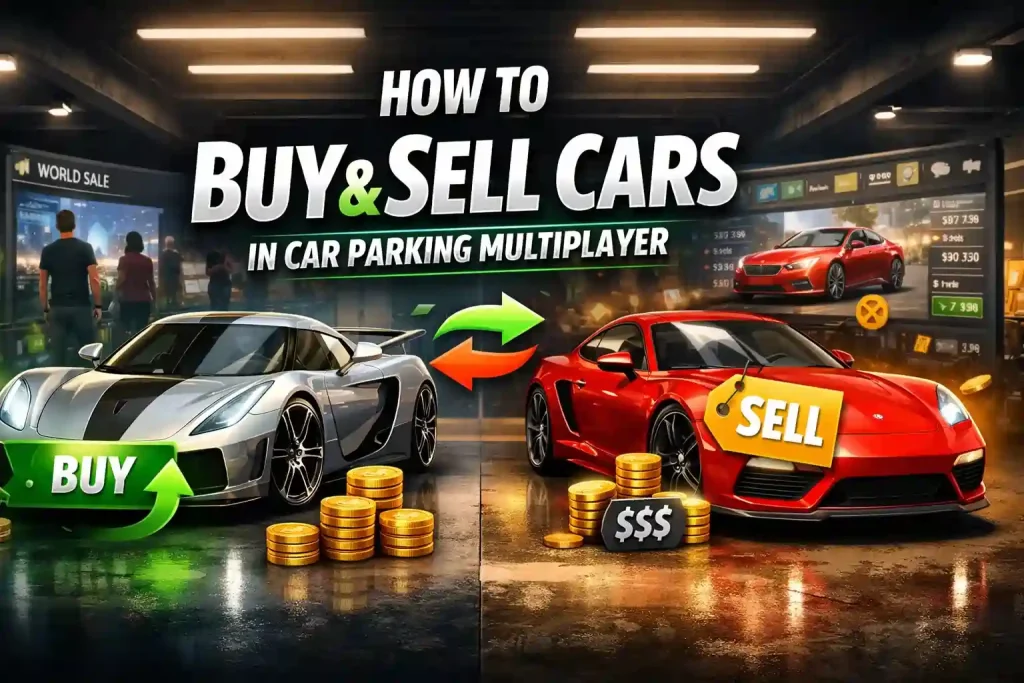
Here is the whole system working together. Say you buy a Toyota Supra Mk4 from the Car Store for about 143,000 cash — a car every CPM player recognizes, with endless build options.
Over a few sessions you give it a clean wrap, premium wheels, black windows and a gearbox tune from our settings guide. None of this is expensive; it is the presentation and the tune that buyers are really paying for.
Then you check World Sale for other Supras, price yours against the tuned examples rather than the stock ones, and list in the evening when buyers are online. That is how to buy and sell cars in Car Parking Multiplayer as a method, not a gamble.
How to Sell Directly to Another Player
Sometimes the buyer is standing in front of you. In online mode you can sell a car to a specific player instead of the whole world.
Step 1: Join an online session together. Trading servers and free-roam lobbies are where buyers gather — check the server allows trading.
Step 2: Open the menu and select the player. Tap the menu (hamburger) icon, choose the player’s ID, and send a car sale request with your price.
Step 3: Let them accept or reject. The buyer can accept, reject, or negotiate in chat. If they accept, the game completes the exchange.
The danger zone is everything around this flow. The classic scam is the “gift first” request — a stranger asks you to hand over your car as a gift, promising theirs in return, then leaves. Never do it.
For swaps, use the method in our car exchange guide: both players list their cars to each other for $1 and buy simultaneously, so neither side is ever empty-handed. It removes the scam window completely.
What Should You Charge? Store Prices and Selling Guidance
Nobody can publish honest “average World Sale prices” — deals happen inside the game and are not recorded publicly. What can be checked is the Car Store price, which anchors every negotiation. These are the store prices for the cars players ask about most, as listed in our car price guides (verified in-game):
| Car | Car Store Price | Selling Note |
|---|---|---|
| Koenigsegg Jesko | 5,000 coins | Top-tier coin car — tuned examples are prestige listings |
| Porsche 911 GT3 | 5,000 coins | Constant demand; clean builds move fast |
| Pagani Zonda | 5,000 coins | Rare sight on World Sale — scarcity helps your price |
| Ford Hoonicorn Mustang (Boss 302) | ~1,000 coins | Drift builds with proper tunes ask the strongest prices |
| Kenworth T680 (truck) | 1,000 coins | Niche but steady — truck fans pay for good setups |
| Toyota Supra Mk4 | ~143,000 cash | The classic flip car: buy stock, build well, sell the build |
The pattern behind the table: coin-priced cars hold value because coins are scarce, while cash cars earn their profit from the build, not the badge. A stock car listed above its store price gives buyers no reason to choose you.
What reliably raises an asking price is the work on the car — a proper tune, a clean wrap, premium wheels, black windows. Before listing a tuned car, dial in its setup: our gearbox settings of popular cars in CPM guide covers the tunes buyers look for.
Pro Tips to Sell Cars Faster
These are the habits that separate sellers who move cars daily from listings that sit for weeks — the practical side of how to buy and sell cars in Car Parking Multiplayer at a profit.
Price against live listings, not the store. Your competition is the World Sale screen the buyer is staring at. Match or slightly beat similar cars, and let the build justify any premium.
Customize before you list. Body kits, neon, premium rims and a good wrap make a listing stop thumbs. Cars that look stock get scrolled past, whatever their spec.
Use premium colors. Gold, platinum, chrome and clean two-tone combos photograph better in the listing and signal a cared-for car. Basic reds and greens undersell the same vehicle.
Sell the stance. Wheel fitment and a tidy suspension drop make a car look professional in its listing photo. A well-balanced setup also tells the buyer the tune was done properly.
Add the small exclusives. A custom license plate and black window tint cost little and make the car feel one-of-one — which is exactly what collectors pay extra for.
List at peak hours. Evenings and weekends put more buyers in front of your listing. The same car at the same price sells faster when the marketplace is busy.
Sell rare, not common. Limited and coin-priced cars attract collectors. Common cash cars only move on price, so flip them fast and thin rather than holding out.
World Sale Not Working? Quick Fixes
Learning to buy and sell cars in Car Parking Multiplayer includes knowing what to do when the marketplace itself misbehaves. An empty World Sale screen does not mean trading is gone — it usually means one small thing is wrong on your side.
If World Sale will not open, shows no cars, or a listing fails, work through these in order — they cover nearly every case players report.
Check your account first. World Sale requires a Google-linked account. If you are playing as a guest, or recently switched accounts, the section stays locked. This is the most common cause and the least documented.
Update the game. Marketplace features break quietly on old builds. Make sure the game is updated to the latest version — if you are behind it, update before troubleshooting anything else.
Check your connection and the servers. World Sale is fully online. Weak connections show empty listings, and server maintenance empties the marketplace temporarily — waiting an hour beats reinstalling.
Try another server region and peak hours. A quiet region can look like a dead marketplace. Switch regions, and browse in the evening when listings are freshest.
Trading Outside the Game: A Word of Caution
Anyone researching how to buy and sell cars in Car Parking Multiplayer will sooner or later find the outside market. Plenty of players trade through Facebook groups and chat servers for real money. It happens — but understand what it is: an unmoderated market with no protection, where the community’s own scam warnings come from.
Three risks stack up. Scams are common, because nothing forces either side to complete a deal. Real-money trading can violate the game’s terms of service, putting the account itself at risk. And a stranger’s reputation in a group is almost impossible to verify.
If you ever go near it: never share login details, never send payment or a car first, and treat any offer that looks too generous as the trap it usually is. For almost everyone, World Sale does the same job inside the game’s own protection.
Can You Buy and Sell Cars in CPM 2?
Yes — and if you already know how to buy and sell cars in Car Parking Multiplayer, the sequel will feel familiar in spirit but different in shape.
Car Parking Multiplayer 2 has its own way of trading: instead of only a menu board, CPM 2 puts a World Car Sale spot inside the world. You drive there in online mode, park in a sale spot, and negotiate with buyers face to face, by voice or text.
Once a deal is struck, the cash lands in your wallet instantly. And because CPM 2 runs full crossplay, the player buying your car might be on a PC through Steam while you are on your phone.
The mindset is the same as CPM 1 — price against the market, sell the build, never gift first — but the marketplace is a place, not just a screen. Our Car Parking Multiplayer 2 page covers the sequel in full.
Common Mistakes to Avoid
Most losses when players buy and sell cars in Car Parking Multiplayer come from the same handful of errors:
- Overpaying on World Sale — always compare the same car in the Car Store before paying a player’s premium.
- Pricing by hope — a listing priced above identical cars does not sell “eventually”; it just sits.
- Selling rare cars cheap — coin-priced and limited cars deserve research before a quick sale.
- Ignoring the build — listing a tuned car without mentioning its tune, wrap and parts leaves money on the table.
- Gifting first — the oldest scam in the game. Use the game’s systems, or the $1 exchange method, every time.
- Trading on a guest account — no Google link means no World Sale, and no recovery if something goes wrong.
Conclusion
To buy and sell cars in Car Parking Multiplayer well, you only need to respect the three routes: the Car Store for safe fixed prices, World Sale for the real market, and direct sales when the buyer is in front of you — handled carefully.
Price against live listings, sell the build rather than the badge, and keep every deal inside the game’s own systems. Do that, and trading becomes what it should be: the fastest honest way to grow a garage in Car Parking Multiplayer.
Frequently Asked Questions
How do I sell a car in Car Parking Multiplayer?
Open your Garage, select the car, tap World Sale, set your price after checking similar live listings, and confirm. When a player buys it, the car transfers to them and the money is added to your account automatically.
Why can I not open World Sale?
Almost always the account: World Sale requires a Google-linked account, so guest accounts are locked out. After that, check you are online and updated to the latest version — old builds and server maintenance also empty or block the marketplace.
Can you get scammed when you buy and sell cars in Car Parking Multiplayer?
Inside World Sale the game handles the exchange, so scams are rare. The risk lives in direct trades and outside deals — especially “gift first” requests. Never gift a car before receiving yours; for swaps, list to each other for $1 using our car exchange method instead.
Is it safe to trade CPM cars for real money?
It carries real risk. Real-money trading communities are unmoderated and scam-prone, and trading for real money can violate the game’s terms of service, risking your account as well as your cash. The in-game World Sale system is the safer route for almost everyone.
What is the difference between World Sale and direct player trading?
World Sale is a global listing board: you set a price and any player worldwide can buy it, with the game completing the exchange. Direct trading happens in an online session with one specific player — you send a sale request, negotiate in chat, and they accept or reject it.
Can I buy and sell cars in Car Parking Multiplayer 2 as well?
Yes. CPM 2 has a World Car Sale area inside its open world: drive there in online mode, park in a sale spot, and negotiate with buyers in person — including PC players, thanks to full crossplay. Payment lands in your wallet instantly when the car sells.